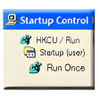
Centralizes startup program management with simple tabs for adding, removing, and organizing entries
Centralizes startup program management with simple tabs for adding, removing, and organizing entries
Vote (22 votes)
Program license Free
Developer Mlin
Version 2.8
Works under Windows
Vote
(22 votes)
Developer
Mlin
Works under
Windows
Program license
Free
Version
2.8
Pros
- Integrates with Windows Control Panel
- Simple, tabbed interface
- Quickly adds, removes, or disables startup entries
- Low resource usage
- No background processes
Cons
- Outdated interface
- Lacks advanced features
- No guidance on which entries are critical
- Does not offer broader system maintenance tools
A simple utility for managing Windows startup programs from the Control Panel.
Overview
StartUp Control Panel is a lightweight utility for Windows that allows users to manage which applications launch automatically during system startup. By integrating directly into the Windows Control Panel, it provides quick access to configuration without the need for standalone applications running in the background.
Interface and Usability
StartUp Control Panel sports a straightforward, tabbed layout. While the appearance may seem dated compared to more modern utilities, its minimalist design contributes to fast performance and ease of use. Each tab clearly categorizes startup entries based on their registry location or system area, giving users insight into where programs are triggered from.
Accessing the utility is as simple as opening the Windows Control Panel, where a new icon for StartUp Control Panel appears. Its integration eliminates clutter and keeps startup management in a familiar system location.
Functionality
The main feature of StartUp Control Panel is its ability to display all current programs set to run on startup. Options include enabling, disabling, adding, or removing applications from specific startup locations, making it easier to ensure only desired programs launch with Windows. There is also functionality to add items that will run once at the next startup, and a dedicated section that tracks previously removed entries for easy restoration.
No memory-resident processes are involved, making StartUp Control Panel resource-friendly. The changes take effect after a system restart or logoff, allowing users to test configurations without intrusive prompts.
Performance
The app makes minimal impact on system resources, given its small footprint and lack of persistent background processes. Startup changes are processed quickly, and the immediate feedback when enabling or disabling entries helps prevent accidental system slowdowns.
Limitations
StartUp Control Panel is highly focused, offering no additional system maintenance, malware protection, or detailed information about the impact of each entry. Users must have some understanding of which entries are necessary to avoid disabling critical services. Those looking for all-in-one system optimization will find this tool too limited for broader maintenance tasks.
Summary
StartUp Control Panel is ideal for users seeking a no-nonsense, quick way to oversee and manage Windows startup programs from within the Control Panel. Its lightweight build and focus on core functionality make it a practical choice for those who value straightforward solutions, though users needing advanced features may want to seek more comprehensive utilities.
Pros
- Integrates with Windows Control Panel
- Simple, tabbed interface
- Quickly adds, removes, or disables startup entries
- Low resource usage
- No background processes
Cons
- Outdated interface
- Lacks advanced features
- No guidance on which entries are critical
- Does not offer broader system maintenance tools